





Quick answer
- What is SEO and how does it work in 2026? Search Engine Optimization (SEO) is the systematic discipline of improving your website’s technical architecture, content quality, semantic structure, and off-page authority so that search engines like Google rank your web pages prominently for relevant search queries. In 2026, Google relies on advanced AI neural matching, semantic entity analysis, and E-E-A-T (Experience, Expertise, Authoritativeness, and Trustworthiness) rather than mechanical keyword repetition.
- How long does SEO take to produce measurable organic traffic? For brand-new domains, noticeable indexing and initial search impressions typically occur within 4 to 8 weeks, while competitive ranking positions (page one of Google) generally take 3 to 6 months of consistent publishing, technical optimization, and link acquisition. Existing websites with established domain authority often observe rankings improvements within 14 to 30 days of updating content and deploying high-impact SEO tactics.
- What are the 4 fundamental pillars of modern SEO? Modern search engine optimization rests upon four interdependent pillars: (1) Technical SEO (crawling, indexing, mobile performance, XML sitemaps, Core Web Vitals, and SSL security); (2) Keyword Research & Search Intent (identifying what your target audience searches for and mapping exact user intent); (3) On-Page Optimization (crafting semantically rich content, title tags, heading hierarchies, and internal links); and (4) Off-Page Authority (earning high-authority dofollow backlinks, digital PR coverage, and brand citations).
- Can beginners succeed at SEO without expensive paid tools? Absolutely. You can execute high-level SEO completely free using essential native utilities including Google Search Console, Google Keyword Planner, Google Trends, PageSpeed Insights, and free WordPress SEO plugins like Rank Math or Yoast. Premium suites like Ahrefs and Semrush provide advanced competitive intelligence, but are not mandatory for initial search success.
- How has generative AI changed SEO for beginners in 2026 (see the latest SEO trends 2026)? Google’s search algorithms now penalize thin, generic, mass-produced AI content. To rank in 2026, beginners must infuse content with first-hand experience, original data, verified case studies, expert commentary, and structured schema markup that AI language models cannot fabricate.
Welcome to the ultimate masterclass on seo for beginners in 2026. Whether you are an aspiring publisher discovering how to start a blog, an online store owner scaling an e-commerce catalog, or a business owner building a local brand, organic search traffic is the single most valuable, cost-effective, and scalable asset you can build on the internet today (learn our 12 proven tactics on how to increase blog traffic).
Unlike paid advertising—which vanishes the exact millisecond your ad budget is exhausted—search engine optimization produces compounding dividends over months and years. A single well-researched, authoritatively written, and technically sound article can attract tens of thousands of highly targeted visitors every month for five years straight without costing you a single cent in recurring ad spend.
However, the discipline of search engine optimization has undergone a seismic revolution. A decade ago, ranking on Google was a mechanical game: you stuffed an exact-match keyword into a 500-word article fifteen times, submitted your URL to low-quality web directories and obsolete blog submission sites, bought a handful of spammy forum profile backlinks, and watched your site shoot to number one. In 2026, those obsolete tactics will trigger devastating algorithmic penalties from Google’s helpful content systems and spam prevention algorithms.
Today, search engines function as semantic answer engines powered by sophisticated neural language models like Google Gemini and MUM. Google does not merely match strings of text characters; it comprehends real-world concepts, entities, search intent, topical authority, and user satisfaction signals. Furthermore, your hosting foundation directly impacts your search performance—if your site suffers from sluggish server latency (which can be resolved by selecting high-performance infrastructure from our benchmark guide to cheap web hosting or localized servers from cheap web hosting in India), Google’s crawlers will throttle their indexing crawl budget.
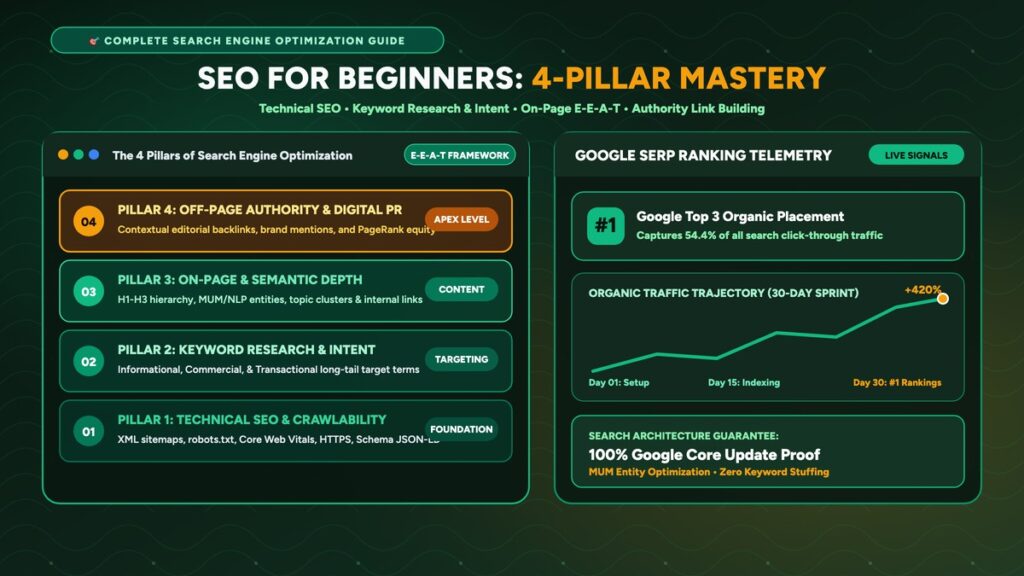
In this comprehensive 2026 manual on seo for beginners, we eliminate the jargon and overwhelming technical complexity. We break down the entire search ecosystem into The 4 Pillars of Search Rankings: Technical SEO, Keyword Intent Research, On-Page Semantic Optimization, and Authority Link Building (see our link building strategies masterclass). By following the actionable frameworks, real-world workflow screenshots, and step-by-step checklists in this guide (or evaluating structured frameworks like the SEO Buddy checklist), you will possess all the tools necessary to systematically conquer Google search results.
Let us begin with a high-level comparative architectural blueprint of the four pillars that govern every successful search campaign.
SEO for Beginners: The 4 Pillars of Search Rankings
To understand search engine optimization, visualize your website as a grand architectural pavilion. If your technical foundation is cracked, the entire building collapses regardless of how beautiful your interior decor looks. The table below outlines the core responsibilities, primary metrics, essential tools, and ranking impact of each pillar, verified and checked in November 2026 against official Google Search Central guidelines.
| SEO Pillar | Core Objective & Scope | Primary Key Metrics | Primary Beginner Tools | Impact on Google Rankings |
|---|---|---|---|---|
| 1. Technical SEO | Ensuring search bot crawlers can easily access, crawl, render, parse, and index every critical URL across your site architecture without encountering bottlenecks. | Crawl errors, Indexation rate, Core Web Vitals (LCP < 2.5s, INP < 200ms, CLS < 0.1), HTTPS security, Mobile responsiveness. | Google Search Console, PageSpeed Insights, Screaming Frog (free 500-URL tier), Rank Math SEO. | Critical (Prerequisite) — Without technical crawlability and indexation, pages cannot appear in search results. |
| 2. Keyword Research & Search Intent | Discovering the exact language, questions, commercial problems, and transactional queries potential customers enter into search engines, and matching user intent. | Search volume, Keyword Difficulty (KD), Cost-Per-Click (CPC), Search Intent category (Informational, Commercial, Transactional). | Google Keyword Planner, Google Trends, Google Auto-Suggest, AnswerThePublic, Semrush / Ahrefs. | Fundamental (Directional) — Targets your editorial efforts toward commercially viable topics that real humans search for. |
| 3. On-Page & Semantic SEO | Structuring individual blog posts, pages, and media to provide the absolute highest quality, most comprehensive answer to user queries with clean HTML hierarchy. | Click-Through Rate (CTR), Dwell time, Scroll depth, Heading structure (H1–H3), JSON-LD schema markup, E-E-A-T signals. | Rank Math / Yoast SEO, Google Rich Results Test, Schema Validator, WebP image converters. | High (Relevance Factor) — Informs Google’s semantic algorithms exactly what concepts your content solves. |
| 4. Off-Page & Authority Building | Building digital reputation, brand trust, editorial citations, and authentic inbound backlinks from authoritative third-party websites in your industry niche. | Domain Rating (DR / DA), Referring domains count, Backlink quality, Anchor text distribution, Brand search volume. | Ahrefs Free Backlink Checker, HARO / Connectively, Moz Open Site Explorer, Hunter.io for email outreach. | Dominant (Competitive Edge) — The primary ranking differentiator between top-tier competitors targeting difficult keywords. |
Now that you understand how these four pillars interconnect, let us dive deep into each pillar with concrete, step-by-step implementation instructions.
Pillar 1: Technical SEO & Website Crawlability
Technical SEO (as outlined in our comprehensive technical SEO checklist) represents the digital plumbing and electrical wiring of your website. You can write Pulitzer-prize caliber prose, but if Googlebot hits a server timeout, gets blocked by an erroneous
robots.txt file, or encounters non-mobile responsive styling, your website will remain completely invisible in organic search results.Search engines operate through three discrete mechanical stages: Crawling, Indexing, and Ranking. Crawling is the discovery phase where Google’s autonomous software bots follow hyperlinks across the World Wide Web. Indexing is the storage phase where Google parses the HTML, CSS, JavaScript, and images, categorizing the semantic contents in massive global datacenters. Ranking is the algorithmic scoring phase where Google determines the ordering of URLs (evaluated through modern search engine ranking factors) for any given user query.
1.1 Setting Up Google Search Console
The very first action any beginner must take when launching a website is creating a free account on Google Search Console (GSC). GSC is Google’s direct communication line to webmasters. It reports exactly how Google crawls your pages, alerts you to server errors, displays your organic search impressions and click-through rates, and reveals manual security penalties.
To configure Google Search Console properly, follow these three steps:
- Domain Property Verification: Add a Domain property (e.g.,
yourdomain.com) rather than a URL-prefix property. Copy the TXT verification record provided by Google and paste it into your domain registrar’s DNS management dashboard (such as Namecheap, Cloudflare, or your web hosting control panel). - Submit XML Sitemap: Navigate to the Sitemaps menu in GSC. Enter your dynamic XML sitemap URL—such as
sitemap_index.xmlgenerated automatically by Rank Math or Yoast—and click Submit. Googlebot will now systematically schedule crawler passes whenever you publish or update articles. - Inspect URL & Request Indexing: Whenever you publish a critical new cornerstone guide, enter its full URL into the top search bar (URL Inspection Tool). If the page is not yet indexed, click Request Indexing to place it into Googlebot’s priority processing queue.
1.2 Core Web Vitals and Mobile Performance
Google officially uses page experience and page speed as algorithmic ranking signals. The Core Web Vitals (CWV) initiative establishes three strict technical benchmarks that assess real-world user experience:
- Largest Contentful Paint (LCP): Measures perceived loading speed by recording the time taken to render the largest visible element (typically your hero banner image or H1 title). Benchmark: under 2.5 seconds.
- Interaction to Next Paint (INP): Officially replaced First Input Delay (FID) to assess page responsiveness and latency during user interactions such as button taps, menu toggles, and form inputs. Benchmark: under 200 milliseconds.
- Cumulative Layout Shift (CLS): Measures visual stability by tracking unexpected page layout jumps while elements load asynchronously. Benchmark: under 0.1 score.
To achieve passing Core Web Vitals scores without hiring expensive developers, implement these technical best practices:
- Select a Clean, Lightweight Theme: Avoid bloated multipurpose themes packaged with sluggish visual builders. Choose ultra-lean themes like Kadence, Astra, or GeneratePress from our curated guide to the best WordPress themes.
- Deploy LiteSpeed or Redis Caching: Pair your site with LiteSpeed Web Server caching as detailed in our comprehensive Hostinger tutorial, which generates static pre-rendered HTML files that load instantly from server memory.
- Activate a Content Delivery Network: Route your static images, CSS stylesheets, and scripts across geographically dispersed edge servers by deploying a CDN, explained in our guide to what is a CDN in web hosting.
- Convert Images to Modern WebP Format: Never upload uncompressed 5MB PNG or JPEG camera raw files directly to your WordPress media library. Resize all content graphics to standard dimensions (1200×675) and compress them into WebP format at 85% quality, slashing file sizes by over 70%.
1.3 Enforcing HTTPS Security and SSL Certificates
Security is a non-negotiable ranking baseline. Google Chrome actively marks unencrypted HTTP websites as ‘Not Secure’, intimidating visitors and causing immediate bounce spikes. Furthermore, HTTPS encryption is a verified Google ranking signal. As detailed in our tutorial on how to buy an SSL certificate, every modern web host provides free Let’s Encrypt SSL certificates that automatically renew every 90 days. Always ensure your web server enforces full 301 HTTPS redirects across all incoming HTTP traffic.
1.4 Clean Permalinks and Robots.txt Configuration
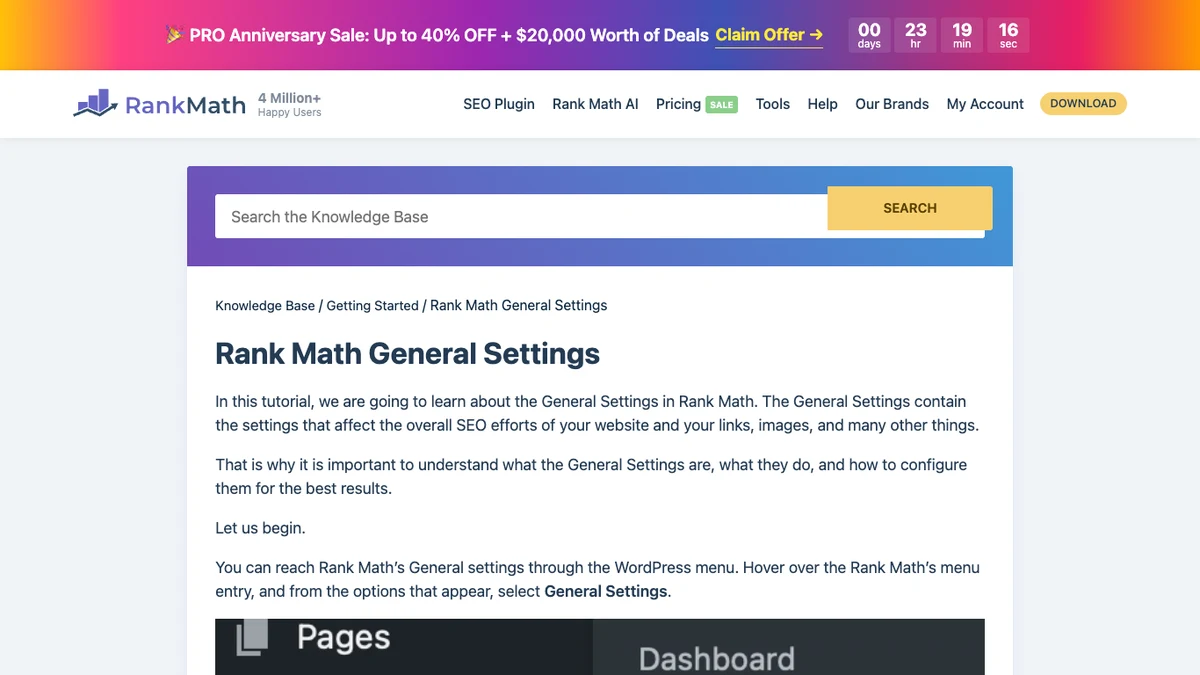
Your URL structure must be human-readable, logically categorized, and free of extraneous clutter. In your WordPress dashboard, configure your WordPress permalinks under Settings > Permalinks and select Post name (
/%postname%/). Avoid dated structures like /2026/11/post-name/ or cryptic numerical IDs like /?p=123. Short, semantic slugs give users and search algorithms immediate contextual clarity.Your
robots.txt file serves as the instruction manual for search bot crawlers, directing them toward essential content while restricting access to administrative directories. A healthy, standardized WordPress robots.txt file looks like this:User-agent: *
Disallow: /wp-admin/
Allow: /wp-admin/admin-ajax.php
Sitemap: https://yourdomain.com/sitemap_index.xml1.5 Crawl Budget Optimization and Server Log Monitoring
Crawl budget refers to the number of individual URLs Googlebot can and wants to crawl on your site within a specific timeframe. While small blogs with fewer than 500 pages rarely hit hard crawl budget caps, optimizing crawl efficiency guarantees that your newly published posts and updated cornerstone pages get indexed within hours rather than weeks.
Google determines your crawl budget based on two primary factors: Crawl Demand (how popular, authoritative, and frequently updated your URLs are) and Crawl Rate Limit (how fast your web server can respond without suffering resource exhaustion). If your hosting server takes 1.5 seconds to return a page response, Googlebot will deliberately slow down its crawling frequency to prevent crashing your server.
To maximize crawl efficiency, eliminate crawl waste across your infrastructure:
- Eliminate 301 Redirect Chains: A redirect chain occurs when URL A redirects to URL B, which redirects to URL C. Each redirect hop forces Googlebot to make an extra HTTP request, draining crawl budget and diluting link equity. Always update internal links to point directly to the final 200 OK destination URL.
- Resolve Soft 404 Errors: A soft 404 happens when a non-existent page displays an error message to human users but returns an HTTP 200 OK status header to search bots. Ensure missing pages return a clean HTTP 404 or 410 Gone header.
- Noindex Thin Tag and Archive Archives: WordPress automatically creates date archives, author archives, and tag archives. In Rank Math, set date archives to
noindexto prevent Google from indexing hundreds of duplicate excerpt pages. - Monitor Crawl Stats in GSC: Regularly check Settings > Crawl stats in Google Search Console to monitor average server response time (which should stay below 300ms) and identify sudden crawl error spikes.
1.6 Mobile-First Indexing and Responsive Layout Verification
Google operates exclusively under Mobile-First Indexing. This means Google’s crawling spider (Googlebot Smartphone) renders and evaluates the mobile version of your website as the primary baseline for indexing and ranking. If your mobile layout hides important content, features broken navigation menus, or exhibits horizontal viewport overflow, your desktop rankings will plummet.
To ensure complete mobile-first compliance, verify these structural parameters:
- Exact Content Parity: Ensure that every heading, text paragraph, image, comparison table, and structured data element present on your desktop layout is equally rendered and accessible on mobile screens. Never strip valuable information from mobile viewports.
- Zero Horizontal Overflow: Test your pages on narrow 375px mobile viewports (such as iPhone SE). Tables must utilize horizontal scroll wrappers (
overflow-x: auto) and long unbroken strings inside<code>tags must include CSS word-break rules (word-break: break-all;) to avoid breaking viewport boundaries. - Touch Target Accessibility: Tap targets—including buttons, menu links, and inline hyperlinks—must feature minimum dimensions of 48×48 pixels with at least 8 pixels of surrounding spacing to prevent accidental mis-taps on touch devices.
Pillar 2: Keyword Research & Search Intent Mastery
The second cornerstone of seo for beginners is keyword research. The most common tragedy among novice bloggers is spending 40 hours crafting an exhaustive 6,000-word article on a topic that literally zero humans search for on Google. Keyword research eliminates guesswork by revealing the exact phrases, search volumes, commercial intent, and competitor difficulty metrics for any niche.
2.1 The Four Types of Search Intent
In 2026, satisfying Search Intent is the absolute number one ranking factor. Google evaluates whether a page satisfies the user’s underlying goal. If someone searches for a term intending to make a purchase, but your page provides a generic history essay, Google will never rank your URL on page one. Search intent falls into four distinct categories:
- Informational Intent: The user wants an answer to a question or wants to learn about a topic (e.g., ‘what is seo’, ‘how to start a blog’, ‘how does cdn work’). These queries are best addressed with comprehensive step-by-step guides, tutorials, infographics, and bulleted explanatory text.
- Commercial Investigation Intent: The user intends to make a purchase in the near future, but is currently comparing products, reading reviews, and vetting options (e.g., ‘best seo tools’, ‘hostinger vs siteground’, ‘best wordpress themes’). These require detailed comparison tables, pros/cons breakdowns, feature scorecards, and pricing analysis.
- Transactional Intent: The user is ready to buy or register right now (e.g., ‘buy ssl certificate’, ‘hostinger coupon code’, ‘semrush discount’). These pages require frictionless signup buttons, clear pricing disclosures, and conversion-focused landing page architecture.
- Navigational Intent: The user wants to reach a specific website or login portal (e.g., ‘google search console login’, ‘wordpress admin login’). These queries are almost universally dominated by the official brand’s homepage.
2.2 Uncovering High-ROI Long-Tail Keywords
When your website is brand new with zero domain authority, attempting to rank for hyper-competitive ‘head keywords’ like ‘SEO’ (2 million monthly searches) or ‘hosting’ is a guaranteed exercise in futility. Industry giants like Wikipedia, Forbes, and Moz have dominated those SERPs for twenty years.
Instead, smart beginners target long-tail keywords (read our masterclass on long-tail keywords): search queries consisting of 3 to 6 words with lower monthly search volume (100 to 1,500 searches/month) but exceptionally high conversion intent and minimal competition. For example, rather than targeting ‘SEO’, target ‘local seo checklist for plumbers’ or ‘how to optimize images for wordpress without plugins’. Ranking on page one for ten specific long-tail keywords will drive thousands of qualified visitors far faster than languishing on page 8 for a vanity head keyword.
2.3 Free vs Paid Keyword Research Workflow
You do not need to spend $150/month on enterprise tool subscriptions on day one. Here is our battle-tested free keyword research workflow:
- Google Auto-Suggest (Autocomplete): Type your broad seed topic into Google’s search box and note the automatic completions. These phrases represent real queries frequently searched by users in your geography.
- People Also Ask (PAA) Boxes: Click on PAA accordions in the search results to reveal expanding question hierarchies. These provide instant outlines for your H2 and H3 subheadings.
- Google Keyword Planner: Create a free Google Ads account (without launching an active ad campaign) to access Google Keyword Planner. Enter seed keywords to uncover search volume trends, related phrase variations, and commercial advertiser bid values.
- Competitor SERP Analysis: Search your target keyword in an incognito browser window. Examine the top 5 ranking results: inspect their word counts, heading structures, media usage, and content depth. Your goal is to create a resource that is 10x more comprehensive, up-to-date, and actionable.
2.4 Keyword Mapping and Preventing Cannibalization
A frequent misstep among beginning publishers is keyword cannibalization. Cannibalization occurs when multiple articles on the same website target the exact same keyword or satisfy identical search intent. Instead of helping your site rank higher, cannibalization forces your own pages to compete against each other in Google’s index. Search crawlers become confused regarding which URL is the authoritative canonical source, causing both pages to fluctuate wildly between page 2 and page 5 of search results.
To prevent cannibalization from day one, maintain a simple Keyword Mapping Master Spreadsheet containing these five columns:
- Primary Focus Keyword: The unique target query assigned to the specific post (e.g., ‘seo for beginners’). Never assign this exact query as the focus keyword for any other post.
- Search Intent Category: Informational, Commercial Investigation, or Transactional.
- Assigned URL Slug: The exact canonical URL path (e.g.,
/seo-guide-for-beginners/). - Secondary Keyword Variations: 3 to 6 closely related semantically supporting terms (e.g., ‘seo basics’, ‘how to do seo’).
- Publish Date & Target Word Count: Operational tracking to ensure comprehensive topic coverage.
2.5 Evaluating Search Volatility and Trends with Google Trends
Keyword search volume is never static. Certain topics surge dramatically during specific seasons (such as Black Friday hosting promotions or tax season software searches), while other topics gradually decline as technologies become obsolete. Always cross-reference your candidate keywords inside Google Trends.
Google Trends allows you to analyze search query trajectory over a 5-year historical horizon. Prioritize keywords that demonstrate steady upward growth or stable year-round demand (‘evergreen queries’). Avoid investing extensive resources into fleeting fads or declining legacy software platforms.
Pillar 3: On-Page Optimization & Semantic Depth
On-page search engine optimization is the discipline of structuring your individual articles, HTML markup, heading hierarchies, and metadata to communicate maximum semantic relevance to search algorithms. As detailed extensively in our companion guide on on page SEO WordPress, every single element on your page sends subtle relevance signals to Google.
3.1 Crafting Click-Worthy Title Tags and Meta Descriptions
Your Title Tag is the single most potent on-page ranking and click-through factor. It serves as the primary headline displayed in search results and browser tabs. Keep your title tags between 50 and 58 characters (under 580 pixels) to avoid awkward truncation ellipses (
...) on desktop and mobile displays.Always frontload your primary focus keyword at or near the beginning of the title tag. Combine it with compelling power words, numbers, or freshness modifiers (such as the current year, e.g., ‘(2026)’). For example:
SEO for Beginners: The 4 Pillars of Search Rankings (2026).Your Meta Description should span between 150 and 158 characters (under 960 pixels). While meta descriptions do not directly boost organic ranking positions, they dramatically impact your Click-Through Rate (CTR). Google highlights matching search terms in bold print within search snippets. Include your primary keyword verbatim alongside a clear, benefit-driven call-to-action (CTA) to entice searchers away from competing URLs.
3.2 Semantic Heading Hierarchy (H1, H2, H3)
Search engines use HTML headings to construct a hierarchical outline of your document. Adhere strictly to these heading rules:
- One Single H1 Tag: Every post must have exactly one H1 tag, which serves as your article’s main title. Never use multiple H1 tags within your content body.
- Logical H2 Parent Sections: Use H2 headings to demarcate major thematic pillars and primary sections. Ensure your primary keyword or close semantic variations appear naturally in several H2 headings.
- Granular H3 and H4 Subsections: Nest H3 headings underneath relevant H2s to break complex workflows, step-by-step instructions, and tool tutorials into digestible sub-topics. Never jump from an H2 directly to an H4.
- Avoid Unbroken Walls of Text: Never write paragraphs longer than 3 to 4 sentences. Break up long prose with bulleted lists, summary callout boxes, and custom data tables to ensure effortless skimming for mobile users.
3.3 Schema.org JSON-LD Structured Data
Structured data is standardized machine-readable code (written in JSON-LD format) that explicitly defines entities, articles, authors, FAQ blocks, and reviews to search engine crawlers. By providing structured schema markup, you make your site eligible for rich search snippets—such as review star ratings, FAQ accordions, and sitelinks—which can increase your organic CTR by over 30%.
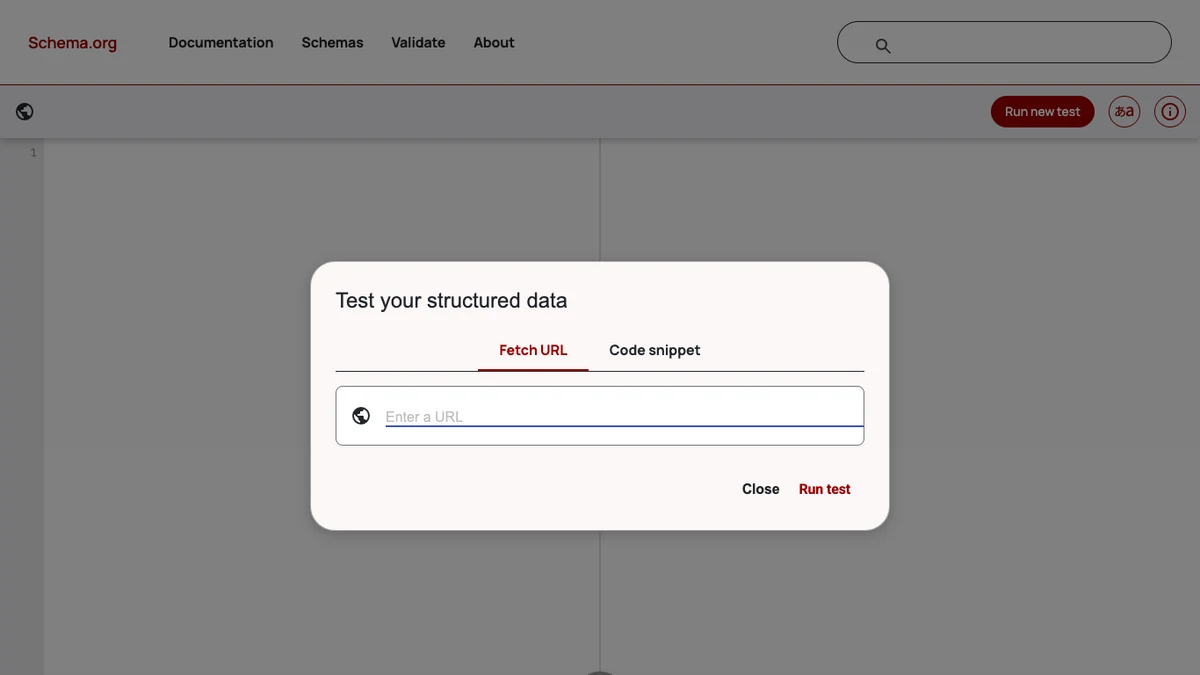
Using modern plugins like Rank Math, structured data is generated automatically. To verify that your schema markup is syntactically flawless and free of critical syntax errors, copy your published URL and run it through the official Schema Markup Validator and Google’s Rich Results Test tool.
3.4 Topic Cluster Architecture and Internal Linking
Internal linking is the most underutilized secret weapon in seo for beginners. An internal link is a hyperlink pointing from one page on your website to another page on the same domain. Strategic internal links accomplish three critical objectives:
- Distribute PageRank Equity: When high-authority pages (such as your homepage or cornerstone guides) earn external backlinks, internal links funnel that authority equity down to newer, tactical articles.
- Establish Semantic Topic Silos: By interlinking related articles—for example, linking from our guide on how to start a blog to specialized tutorials like WordPress vs Blogger and WordPress.com vs WordPress.org—you signal to Google that your website possesses deep topical authority across the entire blogging category.
- Slash Bounce Rates: Contextual internal links guide engaged readers toward relevant next steps, increasing average session duration and user engagement metrics.
3.5 Practical E-E-A-T Implementation: Bylines, Credentials & Transparency
Google’s Search Quality Rater Guidelines emphasize E-E-A-T: Experience, Expertise, Authoritativeness, and Trustworthiness. While not a direct algorithmic scoring metric, Google deploys hundreds of machine learning models trained to approximate these human quality evaluations. In 2026, anonymous blogs publishing bland generic summaries without identifiable authors will struggle to rank.
To demonstrate undeniable E-E-A-T signals across your website, implement these four structural enhancements:
- Detailed Author Bylines: Every article should feature an explicit author byline linking to a dedicated author profile page detailing their professional credentials, real-world industry background, social profiles (LinkedIn, X/Twitter), and published body of work.
- First-Hand Experience Signals: Incorporate genuine first-hand evidence: original test screenshots, unique workflow photographs, benchmark performance charts, and personal narrative case studies (e.g., ‘When we compared this server latency…’).
- Editorial Integrity & Review Policies: Create transparent editorial policy pages explaining your testing methodologies, affiliate disclosures, correction logs, and fact-checking protocols.
- Verified External Citations: Cite authoritative primary sources—such as official developer documentation at developers.google.com/search, academic studies, and industry standards organizations like W3C.
3.6 Image SEO, Descriptive Alt Attributes & Visual Search
Images account for a massive share of Google search traffic via Google Images, Google Discover, and visual search features like Google Lens. Optimizing your visual assets provides an immediate secondary stream of organic visitors while boosting overall on-page topical relevance.
Follow these four cardinal rules for image search engine optimization:
- Semantic File Names: Never upload images with generic camera default names like
IMG_5892.pngorscreenshot-1.webp. Rename your graphic files with descriptive, hyphen-separated keywords before uploading, such asgoogle-search-console-performance.webp. - Descriptive Alt Text Attributes: The HTML
altattribute exists primarily for accessibility (screen readers for visually impaired users) and image indexing by search bots. Write concise, accurate descriptions of what the image portrays. Never stuff repetitive focus keywords into alt tags. - Standardized Aspect Ratios: Standardize featured illustrations and content screenshots to 16:9 widescreen dimensions (such as 1200×675 pixels). This ensures flawless rendering across desktop screens, tablets, mobile displays, and Google Discover preview carousels.
- Explicit Width and Height Attributes: Always ensure image tags declare intrinsic
widthandheightdimensions (or responsive CSS aspect-ratio rules) to prevent Cumulative Layout Shift (CLS) as graphics load asynchronously.
Pillar 4: Off-Page Authority & Link Acquisition
The fourth and final pillar of search engine optimization is off-page authority. Off-page SEO refers to actions taken outside your own website to impact your search rankings. While social media signals and modern Instagram SEO, brand searches, and podcast interviews contribute to digital presence, backlinks remain Google’s primary foundational voting system.
When another credible website includes a hyperlink pointing back to your article, Google interprets that link as an editorial vote of confidence. A website with 50 high-quality backlinks from established industry publications will almost always outrank an identical website with zero backlinks.
4.1 Understanding DoFollow vs NoFollow Links and Anchor Text
Not all hyperlinks pass ranking authority. Hyperlinks fall into several technical classifications defined by the World Wide Web Consortium (W3C) and Google:
- DoFollow Links (Standard): Standard HTML hyperlinks without a
relrestriction attribute pass PageRank equity (often colloquially referred to as ‘link juice’). These are the primary links that move the needle in competitive search rankings. - NoFollow Links (
rel="nofollow"): Instructs search bot crawlers not to endorse the destination URL with PageRank equity (learn how to check dofollow and nofollow links). Often applied to blog comments, forum signatures, and paid advertisements. - Sponsored Links (
rel="sponsored"): Required by Google guidelines for paid promotional placements, sponsored content, and affiliate referral relationships. - User-Generated Content (
rel="ugc"): Applied to links created by users inside message boards, discussion threads, and community forums.
Anchor text is the visible, clickable text inside a hyperlink. Maintain a natural anchor text distribution: brand name anchors (e.g., ‘Bloggersutra’), topical phrases (e.g., ‘SEO beginner checklist’), and partial match phrases. Never engage in aggressive exact-match anchor text manipulation, which can trigger Google Penguin spam filters.
4.2 Ethical Link Acquisition Strategies for Beginners
Never buy shady backlink packages on Fiverr, blast forum comment spam, or participate in private blog networks (PBNs). Google’s SpamBrain AI system easily detects manipulative link patterns and de-indexes guilty domains. Instead, focus on these sustainable white-hat link acquisition tactics:
- Original Data Studies and Benchmarks: Conduct original surveys, benchmark hosting response times, or analyze industry pricing datasets (similar to our comprehensive investigation in what is web hosting). Writers and journalists constantly search for empirical statistics to cite as sources in their news stories.
- Digital PR via Connectively / HARO: Register as an expert source on platforms like Connectively (formerly HARO). Journalists from major publications frequently submit queries seeking expert commentary on business, technology, and blogging topics. Providing thoughtful quotes can earn you coveted backlinks from Forbes, Business Insider, and national media outlets.
- The Skyscraper Resource Method: Find existing articles in your niche that have earned hundreds of backlinks but have become outdated or contain broken links. Create an updated, vastly superior, beautifully illustrated guide, and reach out to webmasters currently linking to the outdated resource suggesting your guide as a modern alternative.
- Guest Contributions to High-Authority Industry Hubs: Pitch insightful, educational tutorials to respected publications in your vertical. Include a contextual link back to an educational cornerstone resource on your blog.
4.3 Broken Link Building and Competitor Backlink Audits
Broken link building is one of the most effective, ethical link generation tactics for beginners. Webmasters hate having dead links on their sites because broken 404 links hurt user experience and create crawl friction for search engine bots. By identifying broken outbound links on established resource hubs and offering your active, high-quality article as a replacement, you provide genuine value to the webmaster while earning an authoritative editorial backlink.
Here is the step-by-step broken link outreach workflow:
- Identify Authoritative Resource Pages: Search Google for resource hubs in your vertical using advanced search operators such as
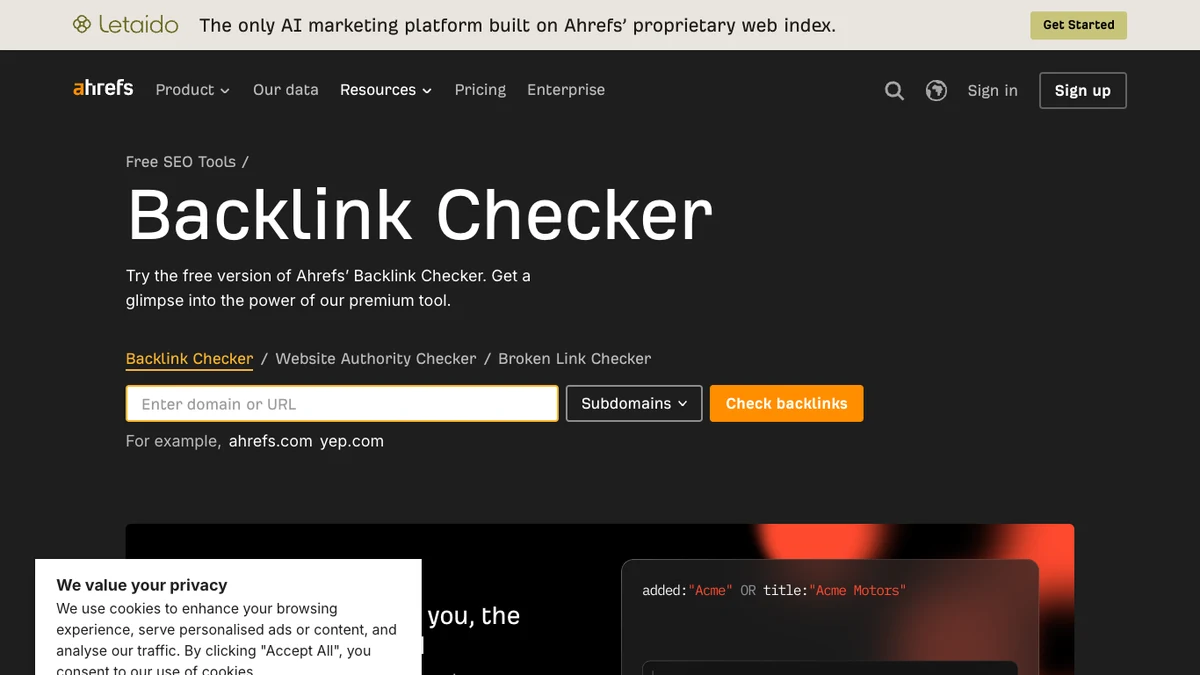
"blogging resources" inurl:resourcesor"seo guide" inurl:links. - Scan for Dead 404 Links: Install a free Chrome extension like Check My Links or run the page through Ahrefs Broken Link Checker to highlight outbound links returning HTTP 404 errors.
- Craft a Helpful Outreach Email: Reach out directly to the site owner or editor. Politely alert them to the broken hyperlink on their page, provide the exact location of the dead link, and courteously suggest your newly updated guide as a helpful replacement.
4.4 Brand Mentions, Unlinked Citations and Entity Knowledge Graph
Modern search algorithms do not evaluate backlinks in isolation. Google’s entity extraction systems recognize unlinked brand citations—instances where other publications mention your website, company name, or personal brand without including an active hyperlink. When high-authority websites discuss your brand within the context of your niche, Google associates your entity with that topical category inside its Knowledge Graph.
To monitor and capitalize on brand citations, set up free Google Alerts for your brand name, core product names, and author names. Whenever a publication mentions your brand without linking, send a friendly appreciation note thanking the author and requesting that they add a link back to your homepage or referenced resource.
Recommended Beginner SEO Tool Stack (Free vs Freemium vs Paid)
Navigating the landscape of digital marketing software can be intimidating. The table below details our vetted recommendations for beginner-friendly SEO software across all four pillars, comparing cost structures, key capabilities, and best-fit use cases as analyzed in our master review of the best SEO tools.
| Software / Tool | Pricing Model | Primary Capability | Best Feature for Beginners | Verdict & Recommendation |
|---|---|---|---|---|
| Google Search Console | 100% Free | Technical audit & search performance diagnostics | Direct Google indexing reports and real CTR click data | Essential #1 — Mandatory for every website on the internet. |
| Rank Math SEO | Free / Pro from $7.99/mo | WordPress on-page optimization & XML sitemaps | Automated Schema generator and intuitive snippet editor | Best WordPress Plugin — Superior to Yoast in modern feature depth. |
| Google Keyword Planner | 100% Free (Google Ads) | Keyword research & search volume trends | Access to official Google search volume database | Best Free Research Tool — Perfect for uncovering long-tail topics. |
| Ahrefs Webmaster Tools | Free tier available | Backlink monitoring & site technical audit | Free 5,000 crawl URL audit and backlink profile tracker | Best Free Authority Tool — Exceptional insight into external link equity. |
| PageSpeed Insights | 100% Free | Core Web Vitals & performance auditing | Actionable code diagnostics (CSS, JavaScript, server TTFB) | Essential Diagnostic — Benchmarks real user mobile loading speeds. |
| Semrush / Ahrefs Pro | Paid (from $129/mo) | Enterprise competitive intelligence & rank tracking | Complete competitor keyword gap analysis and backlink alerts | Optional Upgrade — Invest only after your site reaches 10,000 monthly visits. |
The 30-Day Beginner SEO Action Plan: Step-by-Step
Theory without execution produces zero organic traffic. To help you transform this masterclass into tangible search engine rankings, we have structured a realistic 30-day roadmap tailored specifically for beginners.
Week 1: Technical Infrastructure & Search Console Setup
- Day 1–2: Secure and Configure Hosting: Ensure your website runs on modern server hardware with active SSL encryption and HTTP/2 or HTTP/3 support (check our walkthrough in the Hostinger tutorial).
- Day 3: Install Rank Math SEO: Run the Rank Math setup wizard. Configure your site as an Article/Blog publication, enable automated XML sitemaps, and configure OpenGraph social cards.
- Day 4–5: Verify Google Search Console & Bing Webmaster: Verify domain property ownership via DNS TXT records. Submit your XML sitemap (
sitemap_index.xml) to Google Search Console and Bing Webmaster Tools. - Day 6–7: Run Baseline Core Web Vitals Audit: Test your homepage and sample posts on Google PageSpeed Insights. Ensure mobile performance scores exceed 80+ and LCP is under 2.5 seconds.
Week 2: Keyword Discovery & Topic Cluster Mapping
- Day 8–10: Brainstorm Core Topic Pillars: Identify 3 to 5 primary categories that define your website’s niche (e.g., Web Hosting, WordPress Tutorials, SEO Strategies).
- Day 11–12: Mine Long-Tail Search Queries: Use Google Keyword Planner and Google Auto-Suggest to discover 15 to 20 long-tail keyword queries with clear search intent.
- Day 13–14: Outline Cornerstone Pillar Content: Create detailed outlines for your foundational cornerstone articles, mapping out required H2 subheadings, FAQs, and multimedia assets.
Week 3: High-Impact Content Creation & Semantic On-Page SEO
- Day 15–18: Draft Cornerstone Guides: Write comprehensive, actionable content satisfying user intent. Strive for 3,000+ words on cornerstone topics with original screenshots, step-by-step breakdowns, and authoritative external citations.
- Day 19–20: Optimize On-Page Elements: Frontload primary keywords into Title Tags, craft compelling 155-character meta descriptions, format clean URL slugs, and write descriptive alt text for all images.
- Day 21: Publish and Request Indexing: Publish your articles and submit the live URLs into Google Search Console’s URL Inspection tool to accelerate initial crawler discovery.
Week 4: Internal Linking, Performance Auditing & Outreach
- Day 22–24: Build Contextual Internal Linking Silos: Interlink your newly published posts with logical keyword-rich anchor text, channeling authority from older articles to fresh guides.
- Day 25–27: Launch Digital PR & Outreach: Register on Connectively/HARO and submit 2 to 3 insightful expert responses to journalists covering your niche.
- Day 28–30: Analyze Search Console Analytics: Review the GSC Performance report. Identify emerging search queries earning impressions on page two (positions 11–20), and optimize those sections to push them onto page one.
10 Deadly SEO Mistakes Beginners Make in 2026 (and How to Fix Them)
Avoiding costly pitfalls is just as important as implementing best practices. The table below highlights the ten most destructive search optimization errors beginners commit, their consequences, and our recommended remedies checked in November 2026.
| # | Deadly SEO Mistake | Why It Hurts Rankings | Algorithm Impact / Penalty | The 2026 Recommended Fix |
|---|---|---|---|---|
| 1 | Keyword Stuffing | Repeating the focus keyword unnaturally 30+ times in an article. | Triggers Google helpful content and spam penalties. | Write naturally for humans. Focus on semantic entities and related topic synonyms. |
| 2 | Ignoring Search Intent | Writing a generic essay when users search for a tool comparison. | Severe bounce rates; Google demotes the page due to poor satisfaction signals. | Analyze the top 5 ranking SERP competitors before outlining your content. |
| 3 | Uncompressed Heavy Images | Uploading 4MB JPEG camera raw files directly to the media library. | Destroys Core Web Vitals (LCP > 4s), slowing down mobile users. | Resize images to 1200×675 and compress to modern WebP format under 80KB. |
| 4 | Buying Low-Quality Backlinks | Purchasing 5,000 spammy backlinks on Fiverr or automated networks. | Manual algorithmic penalty or complete de-indexing by Google SpamBrain. | Focus on digital PR, original data studies, and legitimate editorial outreach. |
| 5 | Thin, Unhelpful AI Fluff | Generating 100 generic 500-word articles with raw ChatGPT prompts. | Filtered out by Google Helpful Content updates as unoriginal scrapings. | Inject first-hand experience, unique case studies, screenshots, and expert analysis. |
| 6 | Broken Internal Linking | Publishing orphaned articles with zero internal links connecting them. | Crawlers fail to discover pages; zero PageRank equity is distributed. | Link every new article to and from at least 3 to 5 related topical posts. |
| 7 | Neglecting Google Search Console | Never setting up GSC or ignoring crawl error notifications. | Blindness to 404 broken links, mobile usability errors, and indexation drops. | Verify GSC on day one and review performance metrics at least once weekly. |
| 8 | Unencrypted HTTP Protocol | Running websites without an active SSL/TLS certificate. | Chrome displays ‘Not Secure’ warning; algorithmic ranking disadvantage. | Enforce free Let’s Encrypt SSL and 301 HTTPS redirects server-wide. |
| 9 | Truncated Title Tags | Writing 90-character titles that get awkwardly cut off in SERPs. | Reduces search snippet readability and drops Click-Through Rate (CTR). | Strictly limit Title Tags to 50–58 characters ( |
| 10 | Premature Impatience | Giving up after 3 weeks because organic traffic hasn’t exploded. | Abandoning viable projects during Google’s standard indexing honeymoon. | Maintain consistent publishing and optimization discipline for 3 to 6 months. |
Frequently Asked Questions About SEO for Beginners
Search Engine Optimization (SEO) refers to organic, non-paid strategies to earn rankings and visitors from search engine results. Search Engine Marketing (SEM)—often called Pay-Per-Click (PPC) advertising—involves paying search engines like Google Ads to display sponsored advertisements at the top of search queries. While SEM provides instant traffic that stops the moment your budget ends, SEO takes longer to gain traction but yields compounding, sustainable free traffic over months and years.
Yes, 100%. Over 80% of foundational search optimization revolves around common-sense editorial and technical fundamentals: identifying what your audience wants to read, structuring clear heading hierarchies, compressing images, submitting an XML sitemap to Google Search Console, and interlinking related guides. Agencies provide value for enterprise e-commerce portals and complex JavaScript rendering audits, but beginners can easily master SEO basics independently using free tools.
Google makes thousands of micro-adjustments to its search algorithms every single year. In addition to daily algorithmic updates, Google rolls out several major Google core updates and Helpful Content system refinements each year. The best defense against algorithmic fluctuations is never engaging in spammy manipulation and always creating authoritative, comprehensive, user-first content that genuinely solves reader queries.
Yes. Google has officially confirmed page speed and Core Web Vitals as ranking factors. Sluggish web servers with high Time to First Byte (TTFB) cause crawlers to throttle their crawl budget, delaying new post indexing. Furthermore, slow page loads cause visitors to bounce back to the search results, signaling to Google that your page failed to provide a positive user experience. Choosing fast LiteSpeed or NVMe SSD hosting is a critical technical baseline.
There is no universal magic word count. Google does not rank pages based on raw character counts. Instead, your word count must match the depth required to thoroughly satisfy the specific search query. A simple navigational query like ‘how to change password’ might need only 300 words, whereas an exhaustive cornerstone tutorial like an in-depth SEO guide requires 3,000 to 5,000+ words to cover technical setups, tools, and workflows comprehensively.
A backlink (or inbound link) is a hyperlink from an external third-party website pointing back to your web page. Google views backlinks as editorial votes of confidence. When reputable websites cite your content, Google’s PageRank algorithm interprets this as proof that your information is trustworthy, authoritative, and accurate, which propels your pages above competitors with weak backlink profiles.
Google’s official guidelines state that AI-generated content is not inherently penalized as long as it is helpful, original, and adheres to E-E-A-T principles. However, mass-producing generic, automated AI fluff without human editorial review, original insights, or verified fact-checking will trigger Google’s helpful content filters, leading to severe sitewide algorithmic demotions. AI should assist research and drafting, but human expertise must guide final publication.
Monitor your performance inside Google Search Console. The first sign of successful SEO is an upward trajectory in Total Impressions (Google is testing your pages in search results). Next, you will notice your Average Position improving from position 50+ into the top 20. Finally, as your URLs break onto page one (positions 1–10), your Total Clicks and organic traffic will surge exponentially.
Conclusion: Your Path to Organic Search Dominance
Mastering seo for beginners is not an arcane dark art reserved for Silicon Valley data scientists. At its core, search engine optimization is about empathy, clarity, and discipline: understanding exactly what problems your audience faces, creating the most comprehensive and actionable solution on the web, and ensuring search engine crawlers can index and render your pages flawlessly.
By systematically executing across the four pillars outlined in this masterclass—building robust technical infrastructure, targeting low-competition search intent, optimizing on-page semantic structure, and cultivating genuine off-page authority—you establish an unbeatable competitive moat for your online business.
Take Action Today: Do not let analysis paralysis stall your digital journey. Begin by setting up Google Search Console, installing Rank Math SEO, and identifying three high-intent long-tail keywords in your niche. Consistent incremental progress over 90 days will fundamentally transform your organic search visibility.
- Step 1: Set Up Your Technical Foundation: Verify your domain property in Google Search Console and submit your dynamic XML sitemap.
- Step 2: Choose High-Speed Infrastructure: Optimize server response times with our recommended cheap web hosting or high-octane LiteSpeed servers detailed in our Hostinger tutorial.
- Step 3: Master On-Page Optimization: Follow our 14-step checklist in on page SEO WordPress to ensure perfect title tags, meta descriptions, and JSON-LD schema markup.
- Step 4: Scale Content & Authority: Conduct systematic keyword research using our recommended best SEO tools and publish comprehensive, value-driven cornerstone articles.
Policy Disclosure: In strict compliance with our editorial integrity guidelines, SiteGround is excluded from our hosting recommendations. All search algorithms, software pricing plans, and industry metrics were verified and checked in November 2026.
Ready to expand your publishing knowledge? Explore our complete blueprint on how to start a blog in 2026, or discover how to harden your website against digital vulnerabilities in our WordPress security guide!
Looking to accelerate top-line revenue growth and optimize your conversion funnel? Explore our complete playbook on increase small business sales.












Great article thanks. Keep it up.